
New Features
Introducing Quarantine Management for Unwarranted Transactions
Vaults now supports the Quarantine Management feature to help organisations actively manage and reduce the risk of unsafe digital asset transfers. Users can temporarily flag and isolate suspicious or high-risk transactions for further evaluation. The feature ensures compliance with platform and internal security policies, protects wallet integrity, and minimizes potential losses by isolating funds from suspicious addresses versus trusted ones. Owners and the Compliance Team can maintain quarantine transaction management including unquarantining a quarantined transaction.
- Vaults web:
- Navigate to Compliance > Quarantine.
This page displays all transactions currently quarantined on Vaults. - Navigate to Compliance > Others > Compliance Team.
The Compliance team members and Owners can help approve a quarantined transaction and unquarantine a quarantined one.
- Navigate to Compliance > Quarantine.
- Supported for MPC warm and Hot wallets v2.
- Supports the History panel to view transaction details.
- Quarantined balance is shown in wallet balance breakup in Wallet Details.
- Supports search and filter accessibility options to navigate through quarantined transactions.
Refer to the Quarantine Transactions Management guide to learn more.
Introducing Tron Resource Delegation for Transaction Gas Fee Optimization
Vaults now supports theTron Resource Delegation feature for managing resources (Bandwidth and Energy) across the Tron network enabling users to manage and optimize transaction gas fee cost. With this feature you can delegate energy that you earn by staking tron to wallets that are more operational, thus saving on transaction fees.
How the feature works:
Every Tron wallet has its total energy and bandwidth displayed in its Header. You can stake a Tron (TRX) asset to obtain either, i.e., either Bandwidth or Energy resources. You can stake a maximum of 100 Energy units. You can further delegate the staked Tron resource to other wallets. If the Tron wallet has sufficient resources, like Bandwidth when making transactions then a Gas Station wallet will not be required.

The feature has the following characteristics:
- Daily free Bandwidth allocation: The total bandwidth includes the allotted free daily bandwidth of 600 units and any other bandwidth gained from staking TRX from the wallet.
- Supported Tron resources for Staking: Energy (for Tron token transactions like USDC) and Bandwidth (for native TRX transactions) resources can be obtained via Staking.
- Resource Delegation: You can delegate the staked Tron resource to other active wallets, including Gas Station and Sprayer to distribute resources.
- Wallet Resources: Navigate to Wallet Details> Resources for the respective Tron wallet to view the list of resources that are staked or delegated within a dashboard.
Refer to the Delegate Tron guide to learn more. (to be updated soon)
Withdraw Funds from Gas Station and Sprayer Wallets
Vaults now supports a new feature where Owners can withdraw native assets and tokens from Gas Station and Sprayer wallets to any internal Vaults’ wallet on their organisation. The feature gives users an additional option to withdraw any pending balances in their Gas Station and Sprayer wallets that they cannot otherwise transfer to external wallets after maintaining the required sufficient balance. The withdrawal transaction will use native coins for gas fees.
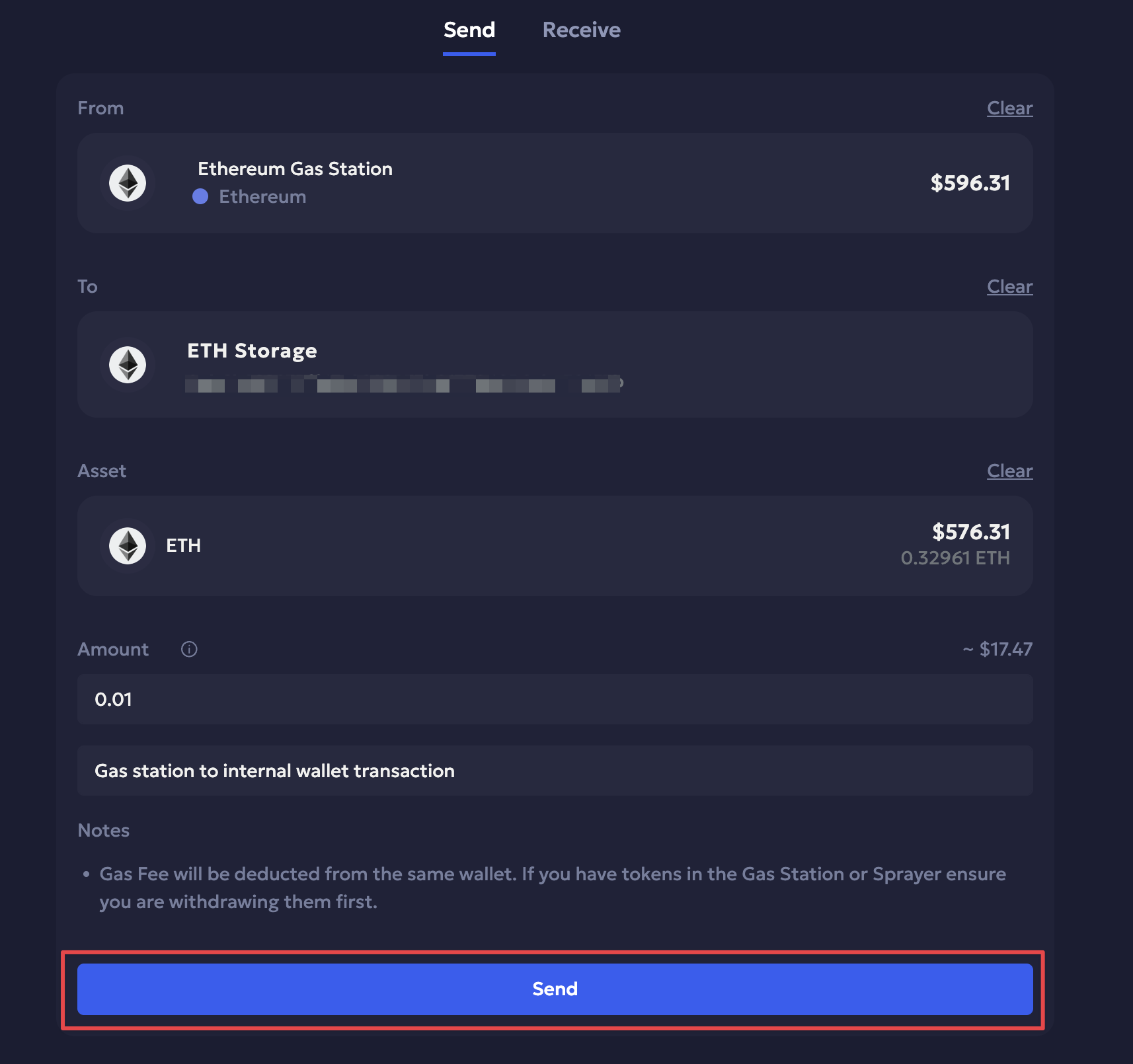
Refer to the Withdraw funds from a Gas Station wallet guide to learn more.
Introducing Flagged Deposits for Non- Whitelisted Contract Deposits
With this release, any incoming native batch transfer transactions on EVM chains that are either not approved or whitelisted by the global Firewall can now be flagged for manual review by Owner and Admin. Users can manually review any pending incoming transactions from unwhitelisted addresses to either approve it for the transaction to be completed on-chain or reject it. Navigate to Transactions > Flagged Deposits on Vaults web to manage flagged transactions. The transactions are recorded in History and Audit Logs.
Refer to the Flagged deposits guide to learn more.
Improvements
Improved Solana batch transfers output for deposits
Different amounts to deposit addresses for Solana batch transfers, both in native coin and tokens, are now displayed separately for the respective addresses.
Claim Tron Staking Rewards Enhancement
Owners and Admins can now claim rewards from active Tron stakes and withdraw the asset to their respective wallets. The enhancement is available in both Vaults. When the user approves a request for Claim, the asset becomes immediately available for withdrawal to the designated wallet. Please note that claimed rewards cannot be re-staked from an ongoing Tron stake.
Bug Fixes
Transaction History UI Fix
The transaction history was displayed to addresses as from addresses, and vice versa for an internal transaction. The issue is fixed now, and internal transactions are displayed correctly.