
Withdraw funds from a Gas Station wallet
Users can withdraw funds from their Gas Station wallets on Vaults after maintaining the sufficient amount required for transactions, in case they send an incorrect amount or do not want to maintain required funds for a specific protocol/chain. Alternatively, you can also transfer funds from Gas Station to a destination wallet when configuring Auto Gas Refill settings for a respective wallet. If Auto Gas Refill is enabled for the respective wallet, it will transfer funds from the respective Gas Station of the wallet.
Note
Please note that there's a gas fee associated with every transaction. When withdrawing funds from a Gas Station, consider the gas fee associated with the transaction. Ensure that you secure a small portion of your funds in your Gas Station to cover the gas fee, while transferring a larger amount to your mobile wallet for successful withdrawals.
For example, if you have 5 ETH in your Gas Station, you might want to keep 0.01 ETH within it to be used for the gas fee for the withdrawal transaction (assuming the current max gas fee is 0.01 ETH). Then, enter the 4.99 ETH in the field as the amount you wish to transfer to the wallet for withdrawal.
We recommend Gas Station wallets to have native coin funds instead of tokens.
Follow the steps below to transfer funds from a Gas Station wallet to a destination wallet from your Vaults account:
-
Navigate to Wallets > Gas Station.
-
Click the three-dot menu next to the respective Gas Station wallet and click Send to bring up the Send transfer popup. Enter the required details and verify the transaction to send the transfer to the respective wallet.
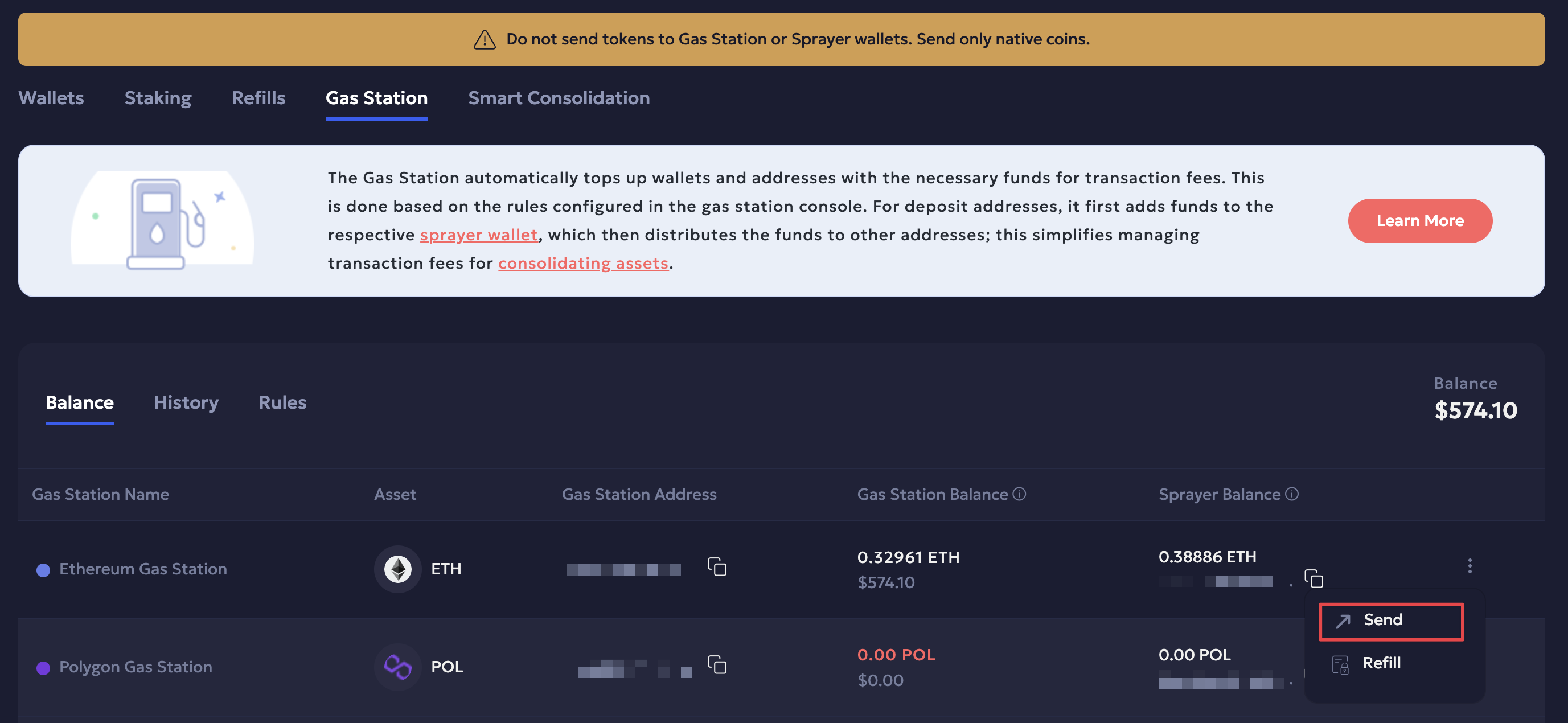
Alternatively, you can also transfer funds from Auto Gas Refill configuration:
-
Navigate to Wallets.
-
Click the three-dot menu next to the respective wallet and select Update Autogas Refill. Enter the required amount in the Transfer from gas station to destination field.
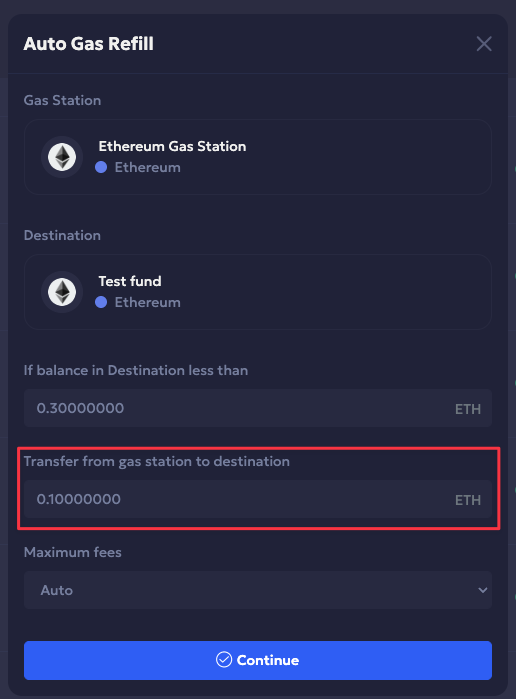
Refer to the Update Gas Station rules guide for more details.
Updated 4 months ago