
Delegate Tron for Resources
Delegate Tron for resources including Bandwidth and Energy
Vaults supports staking Tron asset (TRX) for resources including Bandwidth and Energy. Bandwidth defines the size of the transaction cost in bytes and the Energy defines the computing resources required to execute a smart contract on the TRON Virtual Machine (TVM). The Energy acts as the fees for processing the computation on the Tron network. It helps users to efficiently manage resources when processing transactions by staking Tron to obtain Bandwidth and Energy. They can further delegate a staked Tron resource to another wallet within Vaults, thus optimizing resource allocation at lower transaction fees. A staked Tron wallet is allocated a free bandwidth of 600 units daily.
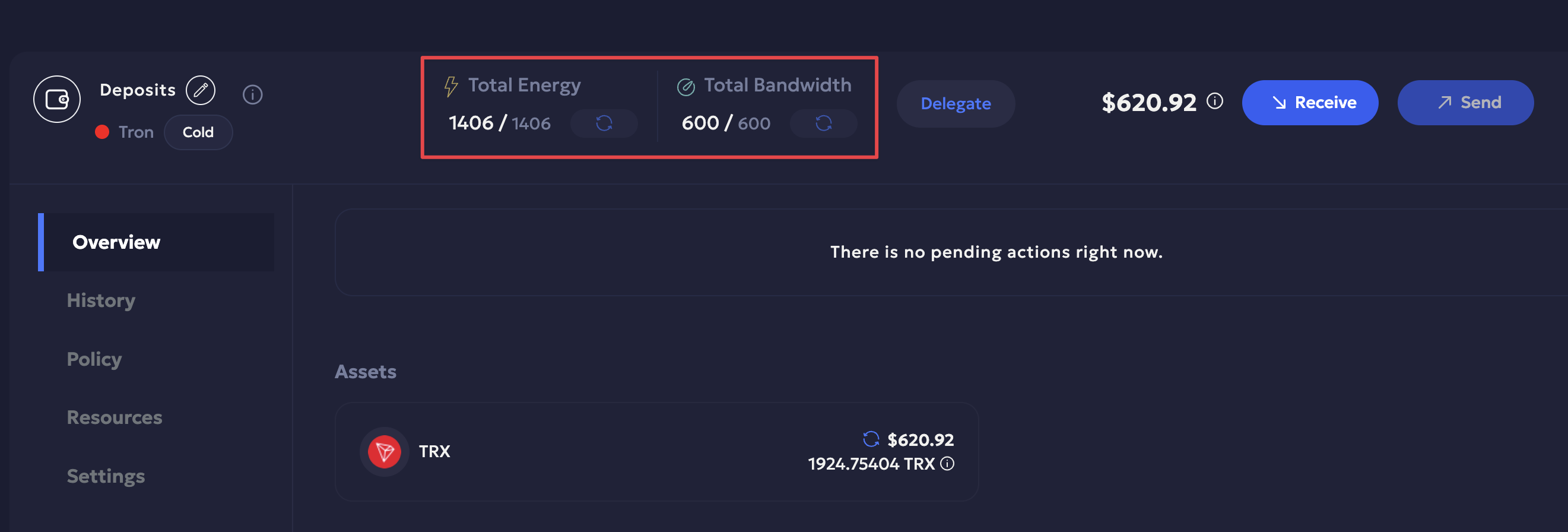
Each Tron wallet on Vaults shows the total Energy and Bandwidth allocated for it in the wallet header. You can sync the resources available for the wallet every 120 seconds by clicking on the Sync button.
Delegating Resources
You can choose to delegate Bandwidth for native TRX transfers and Energy for USDT transfers. You can initiate delegation to a whitelisted destination address only. The maximum available amount you are allowed to delegate is shown in the maximum balance field when delegating. The total balance of resource delegation does not include resources delegated to the respective wallet by others wallets.
Delegating resource is available when:
- You initiate a staking request for a Tron asset. Refer to the Stake Tron Assets guide to learn more.
- Using the Delegate button for a staked wallet where delegation is not yet configured. You can find the Resource Delegation popup on Vaults from:
- Navigate to your Vaults account.
- The Resource Delegation popup is available on Vaults either from:
- Wallet Details > Delegate of the respective Tron wallet, or
- Staking > Delegate for the respective wallet.
Prerequisites
The wallet must be an active Tron staking wallet.
Steps to delegate resources to other wallets
Tron blockchain uses bandwidth and energy resources for transactions instead of fixed Gas Fees. Hence, once the Tron asset is staked, it delegates the resources to the wallet address you are staking. You can delegate resources when you stake a Tron asset or click the Delegate button available next to an active staking wallet, or in the wallet details page.
Initiate Tron Delegation Request
-
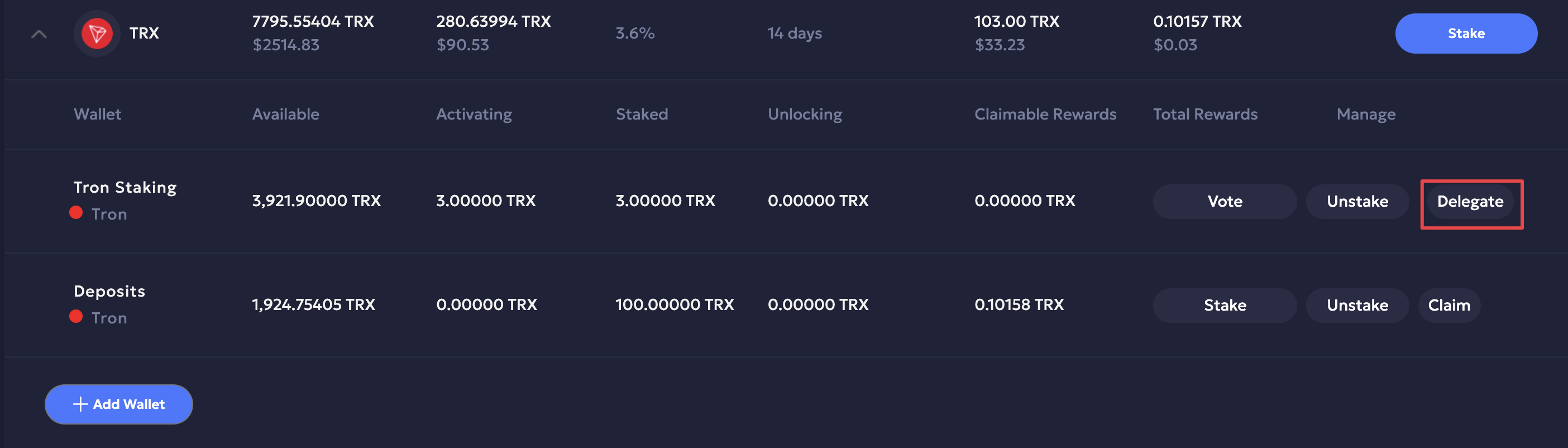
Click Delegate next to the Tron asset wallet to initiate the delegation request.
-
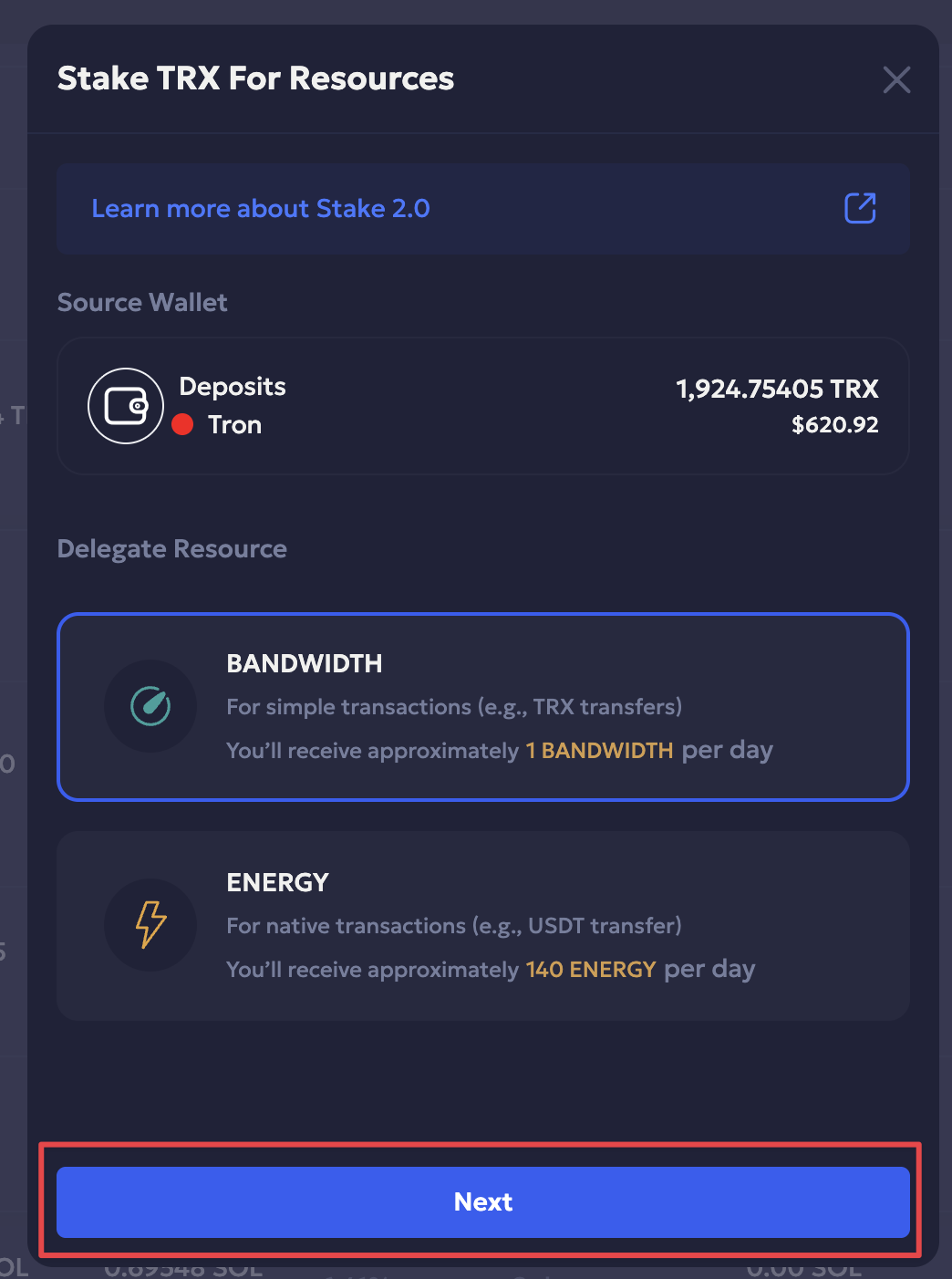
Select the resource to delegate, i.e., either Bandwidth or Energy.
-
Enter the delegation amount.
-
Select the destination address from the list of whitelisted addresses.
-
Click Initiate Delegation.
-
Enter the required 2FA code and Continue.
-
You have successfully initiated a Tron delegation request. Click Okay to confirm.
Once you have approved and signed the delegation transaction request, the respective Tron wallet resources are updated. Refer to the steps mentioned here to approve and sign the request.
Resources
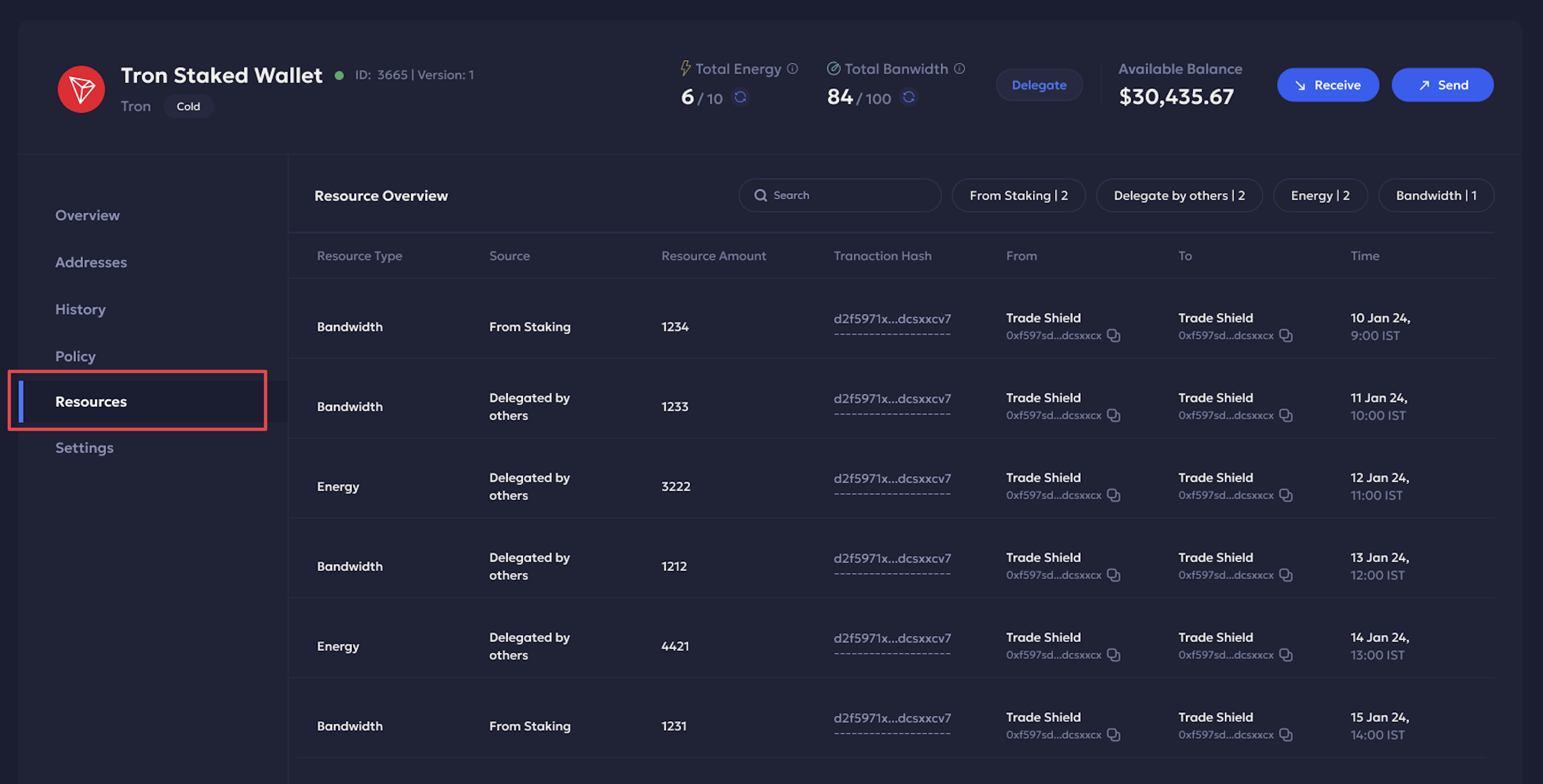
The Resources tab within the Wallet Details page of your Tron staked wallet includes a comprehensive list of all delegated resources.
- Filter overview: You can further filter the overview based on Source and Resource type.
- Search transaction: You can search for a delegated transaction using the search bar.
It provides an overview of the following details:
| Field | Description |
|---|---|
| Resource Type | The type of resource delegated, i.e., Bandwidth or Energy. |
| Source | From where the delegation is initiated. It can be either via staking or when delegated by others. |
| Resource Amount | The amount in TRX delegated. |
| Transaction Hash | Unique ID of the blockchain transaction. |
| From | Sender name and wallet address. |
| To | Receiver name and wallet address. |
| Time | When the transaction transpired. |
Updated 4 months ago