
Compliance
Manage Quarantined transactions and compliance team
The Compliance section on Vaults web helps Owners manage compliance regulations that are currently active in their organization. It includes the following sections:
- Quarantine: Acts as a dashboard to maintain and manage all quarantined transactions on your Vaults organization. Refer to the Quarantine Transaction Management guide to learn more.
- Others: This section includes access to the compliance report and managing the compliance team. Owners can configure and oversee compliance processes while the Compliance Team can review, and manage quarantined transactions. This tab also provides access to the Compliance Report, offering a consolidated view of transaction risk and regulatory adherence.
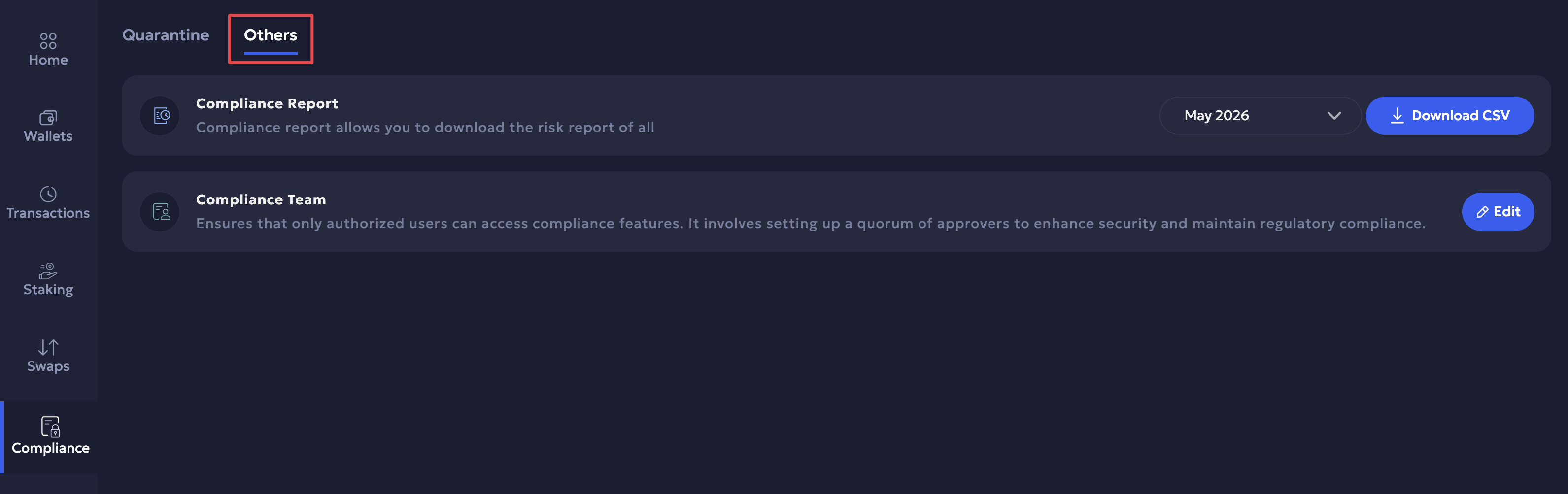
Compliance Report
Provides a comprehensive report of all compliance activities on the respective Vaults organization for the specified months in CSV format. Select the months from the dropdown for which you want to generate the report and click Download CSV.
Note
Currently, TRM compliance reports are supported only for BCH, LTC, and Polygon on the dev environment. Reports are generated monthly, meaning that the report for the current month becomes available on the first day of the following month.
Compliance Team
You can define the Compliance team for the Vaults organization and manage the team members. The compliance team is responsible to review transactions for quarantine and can manage quarantined transactions. It requires at least one team member approval by default.
- Click Edit > Select Team dropdown to select from existing teams. Click Save once you have reviewed the members and set the minimum approval required.
- Click the Add Team button to the top-right in case you want to create and define a new compliance team.
Updated 4 months ago