
Portfolio
The Portfolio page acts as your personal dashboard:
- Asset Metrics Overview: View the top assets and metrics breakdown, the total account net worth, and associated wallet balances to the respective network.
- Transactions: Send and Receive transactions.
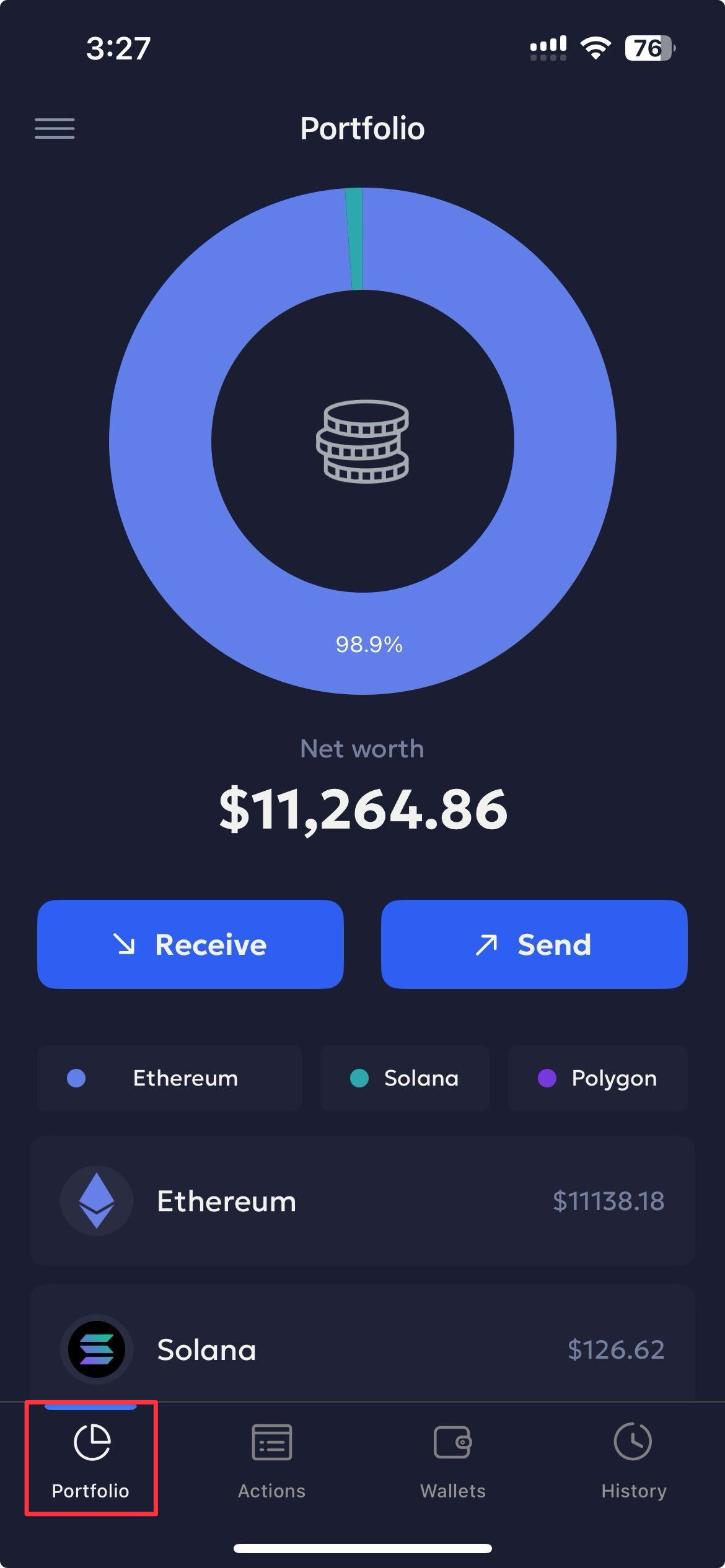
Check Asset Metrics
You can view real-time asset balances across your wallets. The portfolio dashboard shows:
- Native units and USD values of your holdings.
- Total net worth (USD).
- A breakdown of the top five asset allocations and recent transactions.
This helps you quickly monitor portfolio performance and reconcile balances with accuracy.
Receive Transactions
Users can navigate to the Receive transaction flow from their wallet Profile.
- Tap Receive.
- Select the required wallet from the select wallet dropdown.
- Share the required wallet details by either:
- Click Copy address to copy the wallet address, or
- Scan the QR code to share with the sender.
Send Transactions
- Click Send to initiate a transaction.
- Enter the required transaction details and click Send to continue.
Updated 6 months ago
Did this page help you?