
Transactions
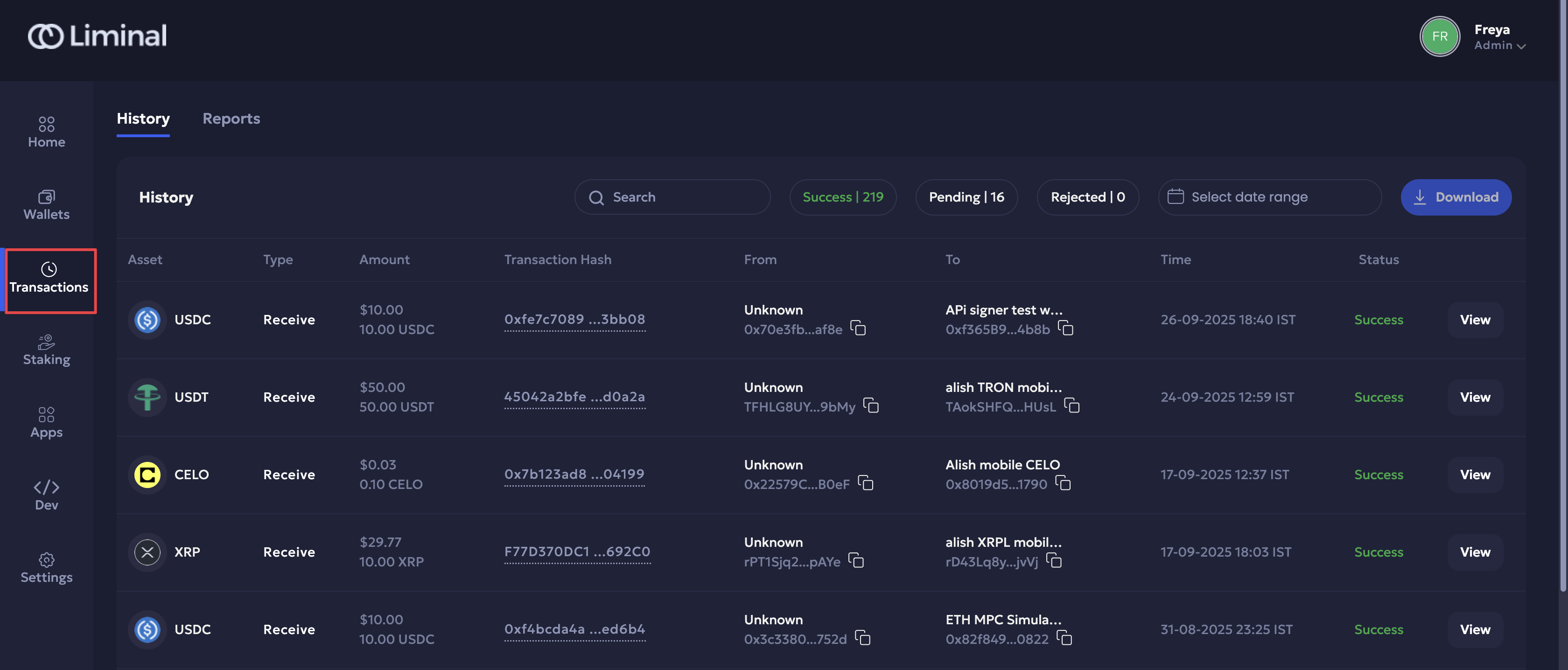
The Transactions page is a central repository of all transaction records across the organisation, helping users track, monitor, and manage their digital wallet transactions within one place. Similar to a bank statement, it provides users with complete operational oversight of their transaction footprint for record-keeping and accounting purposes.
Follow the steps below to explore Transactions:
- Log in to your Liminal Vaults account.
- Navigate to Transactions.
Support for Transactions
Vaults provides the following transaction support:
| Category | Supports | Description |
|---|---|---|
| Wallet Types | MPC, Multisig | Secure wallets are supported for fund transfers within Vaults. |
| Transaction Types | Send, Receive | Supports both outgoing and incoming transactions. |
| Asset Types | Native Coins, Tokens | Transfer blockchain native assets and supported tokens. |
| Address Mode | Single Address, Batch Addresses | Send to or receive from one or multiple addresses in a single transaction. |
| Transfer Scope | Internal Transfers, External Transfers | Move funds within the platform or to and from external blockchain wallets. |
Navigation
The Transactions page supports the following features:
- History: This tab provides a record of all transactions in your organisation.
Refer to the following sections:-
Actions: Customise the transaction history view via search, filter, and download transactions.
-
Transaction History Panel: Check out transaction details and timeline for in-depth metadata.
Alternatively, you can also access a wallet history from here:
- Navigate to Wallets
- Select the required wallet.
- In the Wallet Details page, navigate to the History tab to view the transaction history of a wallet and its details
-
- Reports: Switch to this tab to track, verify, and reconcile financial activity across all wallets.
- Holding Statement: A current and backdated snapshot captures the state of all assets as they existed on a specific past date.
- Account Statement: Consolidated monthly record of all wallet transactions
Transaction status and substatus
When you send or receive a transaction, its lifecycle can be tracked to help you identify and keep a record of the transaction. A transaction balance includes spendable, pending, and total balances.
Transactions are tracked according to the following primary and secondary statuses:
The secondary sub-statuses are:
| Send Transaction | Receive Transaction |
|---|---|
| Success | Success |
The secondary sub-statuses are:
| Send Transaction | Receive Transaction |
|---|---|
| Approval required | Awaiting final confirmation |
| Signature required | Pending approval |
| Awaiting confirmation | Dispatch approval required |
| Pending travel rule |
The secondary sub-statuses are:
| Send Transaction | Receive Transaction |
|---|---|
| Rejected by firewall | Rejected by firewall |
| Cancelled | |
| Rejected by approver/signer | |
| Transaction Expired | |
| Failed On-Chain (for Tron only) |
Updated 6 months ago