
Set up a cold multisig wallet
A multisignature (multisig) wallet is a hardware wallet where your private keys are held offline. You connect your hardware device to your laptop to approve a transaction. Before creating a cold multisig wallet, ensure that your hardware device is set up and linked with your account in your organisation in Vaults. If not, refer to the Link your multisig wallet guide.
In Vaults, you can create and manage your cold multisig wallets. You can add the minimum quorum of transaction signers for the wallet transactions.
Multisig wallets are supported in both v1 and v2. Both versions require at least three signers to create a wallet and two signers (quorum members) to approve actions.
- Multisig v1 supports an M-of-N configuration, with a minimum of 2-of-4 signing keys.
- Multisig Shield v2 uses an M-of-(N+1) configuration, requiring at least two signers. The last signing key belongs to Liminal.
Multisig wallets v2 support a maximum of the following signers:
- TRON: 5
- XRPDROP: 8
- SOL: 11
- CARDANO: 1000
- XLM: 20
- DOT: 100
- UTXO: 15
- EVM: 50
- COSMOS: 6
Note
If you are creating any of the following Multisig wallets:
- Tron Mulltisig wallets:
- Sprayer wallets are used to fund Tron Multisig wallets during their creation. Ensure your Tron Sprayer wallet has sufficient balance. Learn how to refill your Sprayer wallets here.
- Ensure you have at least 120 TRX in your Tron Sprayer wallet.
- EVM-based Multisig wallets:
- Gas Station wallets are used to fund the EVM-based wallet creation. Ensure your Gas Station wallet is sufficient balance.
- Minimum ETH balance required in Sprayer is 0.0017 ETH per wallet.
- For EVM chain transactions: Contact the Liminal support team to recover wallet assets if you accidentally transfer the incorrect asset to a cold multisig wallet.
Take the following steps to set up your multisig wallet in Liminal Vaults.
- Log into https://vaults.lmnl.app/ for production environment, or https://dev.lmnl.app/ for development environment.
- Go to Wallets.
- In the pop up, enter values in the following fields:
- Wallet Name - Enter the unique name of the wallet.
- Protocol - Select the protocol of the wallet.
- Signer Device - Select Hardware Device for the multisig wallet.
- Group Members - Enter the minimum quorum of transaction signers for your multisig wallet. For optimal security, it's recommended to opt for a 2 of 3 configuration or higher.
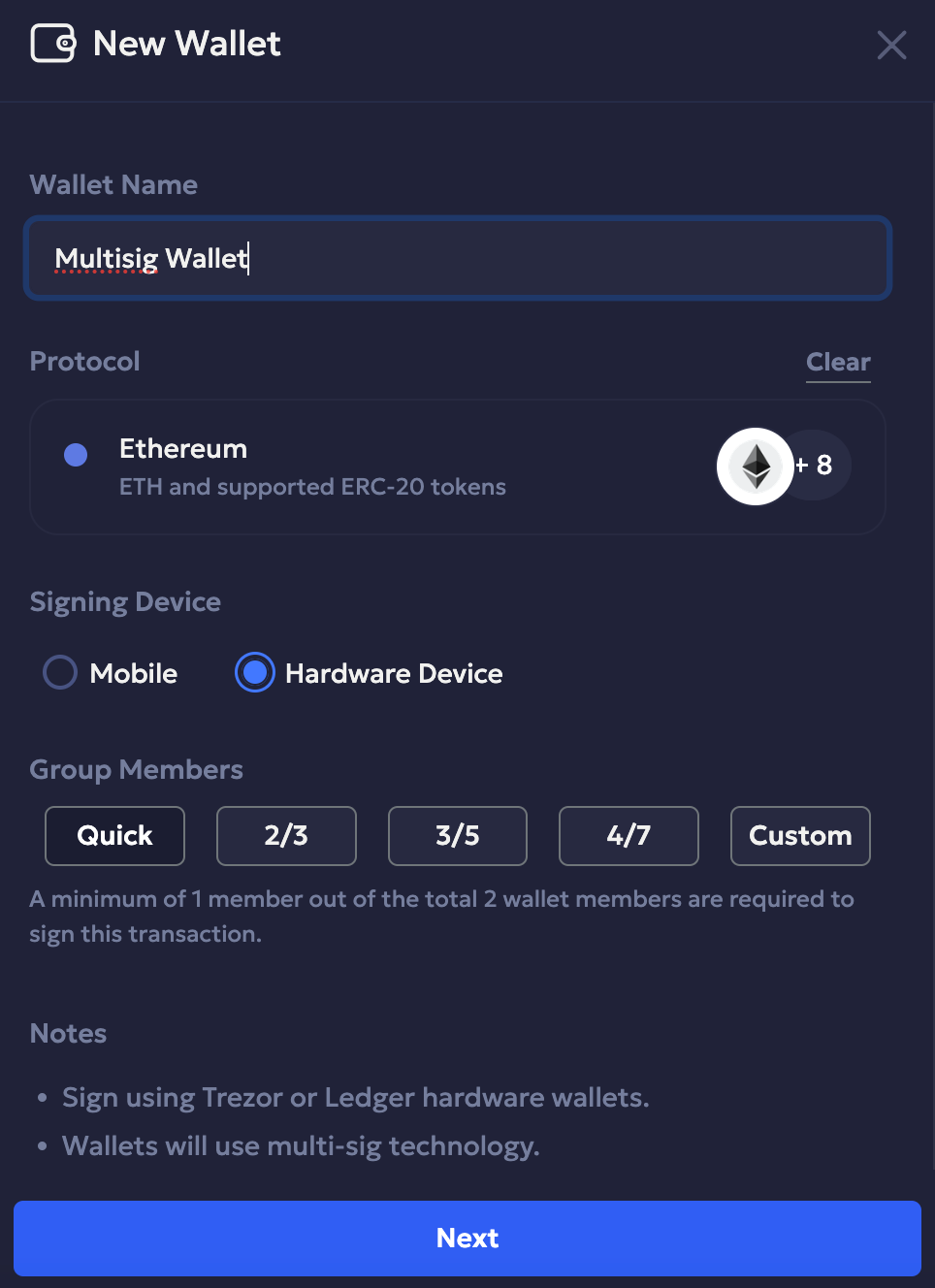
If you select Custom, you can set up the total number of members and minimum required approvals.
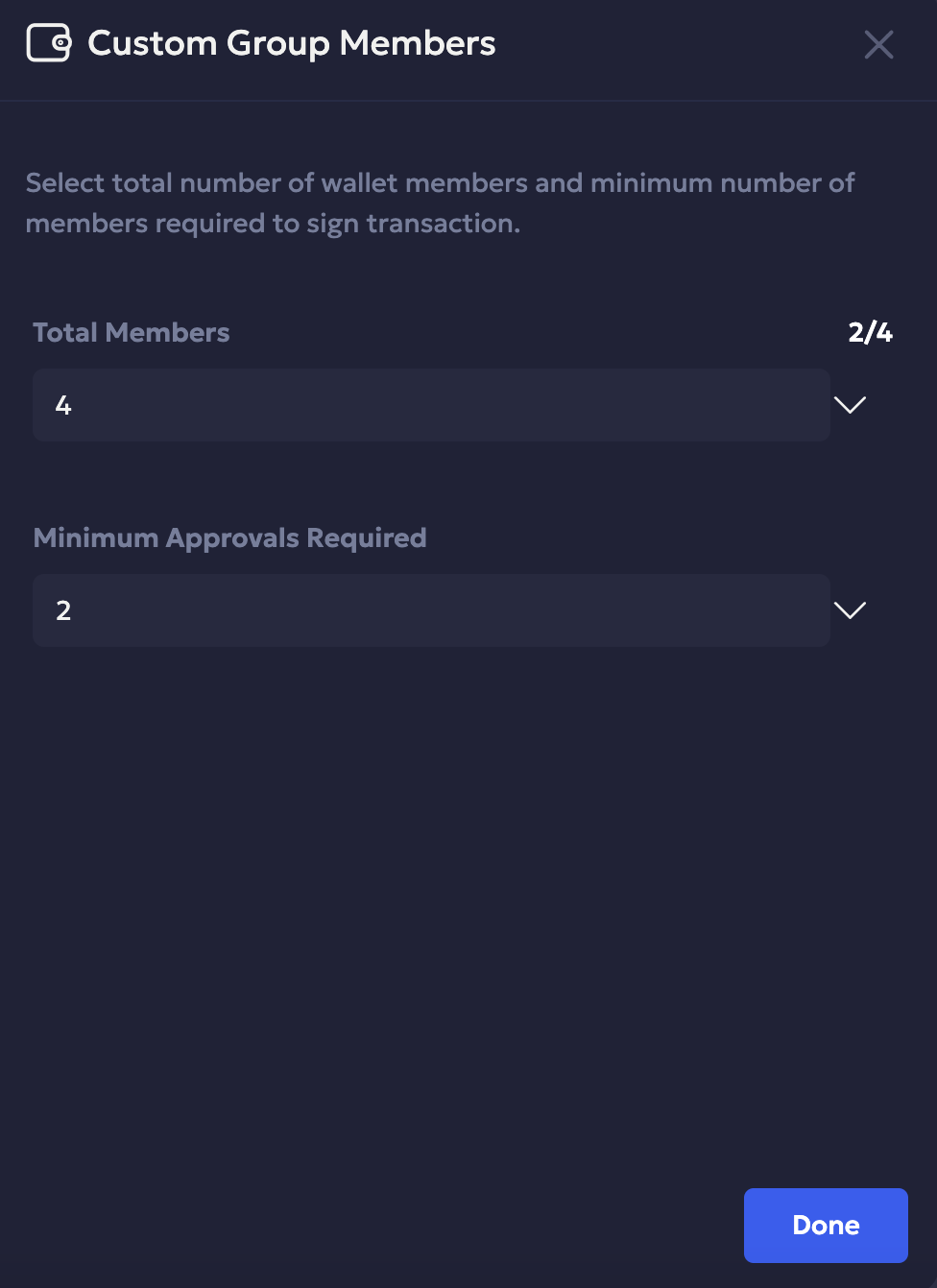
- Click Next to proceed.
- Select those users from the dropdown who have linked their hardware devices. These users will be required to sign the transactions for the wallet.
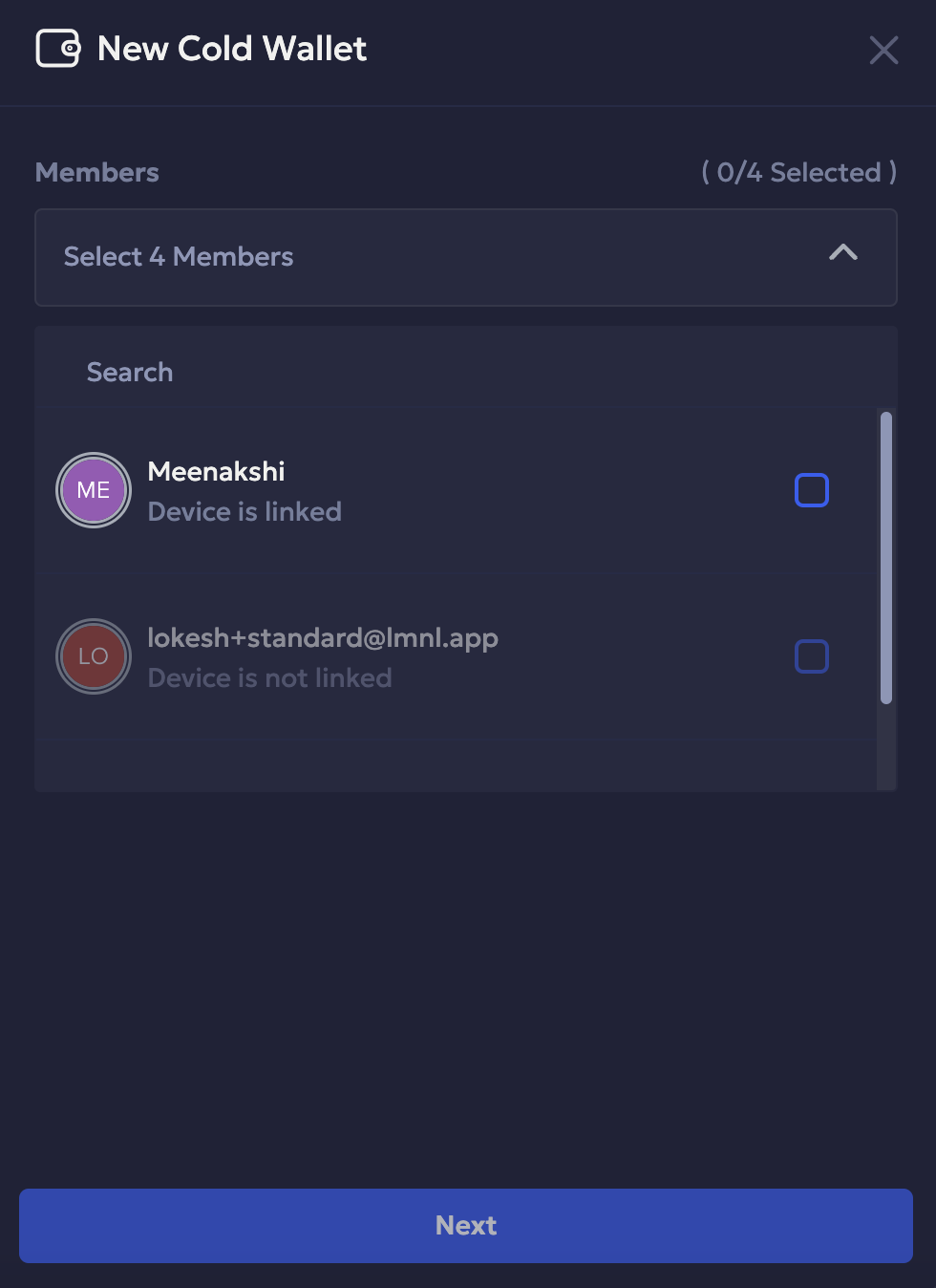
- Select Next to review your selections and confirm the details.
Once your multisig wallet is successfully created, you can transfer funds in and out of the wallet. To learn more, see Transfer funds from a multisig wallet.
Updated about 1 month ago