
Supported Use Cases
Address Screening is supported across multiple wallet operations
Vaults supports address screening for the following use cases:
- Destination address whitelisting:
- Add a Whitelist Address policy via the Vaults web app.
- Approve an address whitelist request via the Vaults Mobile app as a wallet quorum member (Signer).
- MPC Wallet Transaction:
- Initiation (Send): When initiating a transaction as an Initiator using MPC mobile via the Vaults web app.
- Signing (Send): When signing and approving an MPC transaction request via the Vaults mobile app as a wallet quorum member (Signer).
- Multisig Wallet Transaction:
- Initiation (Send): When initiating a transaction using a Multisig wallet on the Vaults web.
- Signing (Send): When signing and approving a Multisig transaction request via a Ledger device as a wallet quorum member (Signer).
- Hot Withdrawal Wallet Transaction: Create transaction requests via the
/wallets/:walletid/send-many-transaction-requestendpoint. The API endpoint returns a422Unprocessable Entity error for addresses that fail the address screening validation.
Address Whitelisting Policy
Adding Policy
Address screening validation is available when Owners and Admins add the Whitelist Address policy for a respective wallet’s destination address to manage transaction policy.
You can validate a destination address in the following ways:
- Log in to your Liminal Vaults account.
- Navigate to Wallets.
- Select the respective supported wallet to proceed to the wallet details page.
- Click the Policy tab in the left navigation bar.
- Click the +Add Policy button to the right of the tab header.
Refer to the steps listed in the Whitelist an address guide to continue.
- Log in to your Liminal Vaults account.
- Navigate to Settings.
- Scroll down to Policy Rules of the Policy Management section. Click +Add.
- Add the Whitelist Address policy to continue.
Refer to the steps listed in the Whitelist an address guide to continue.
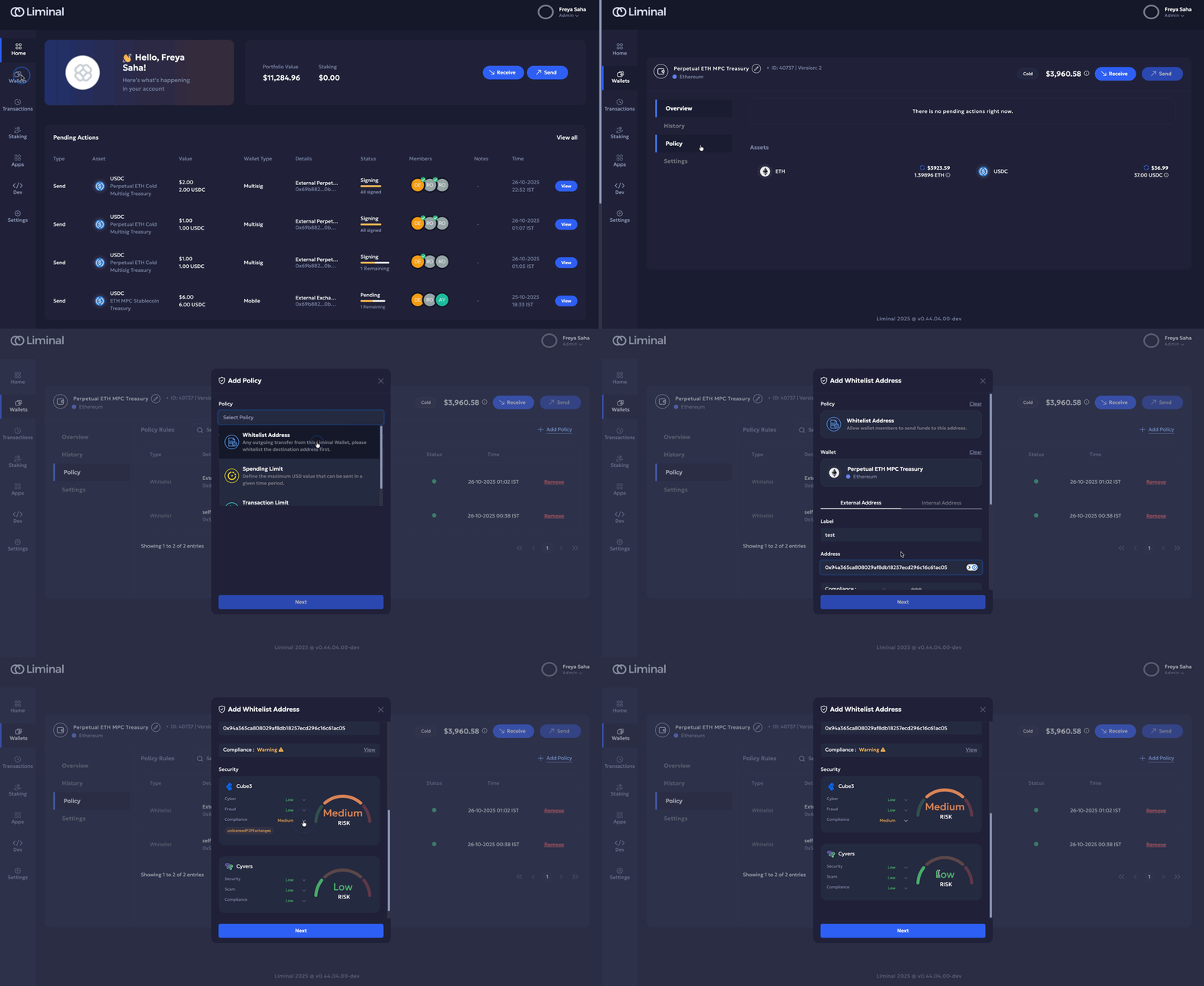
Address screening support for the Add Whitelist Address policy from Wallet Details
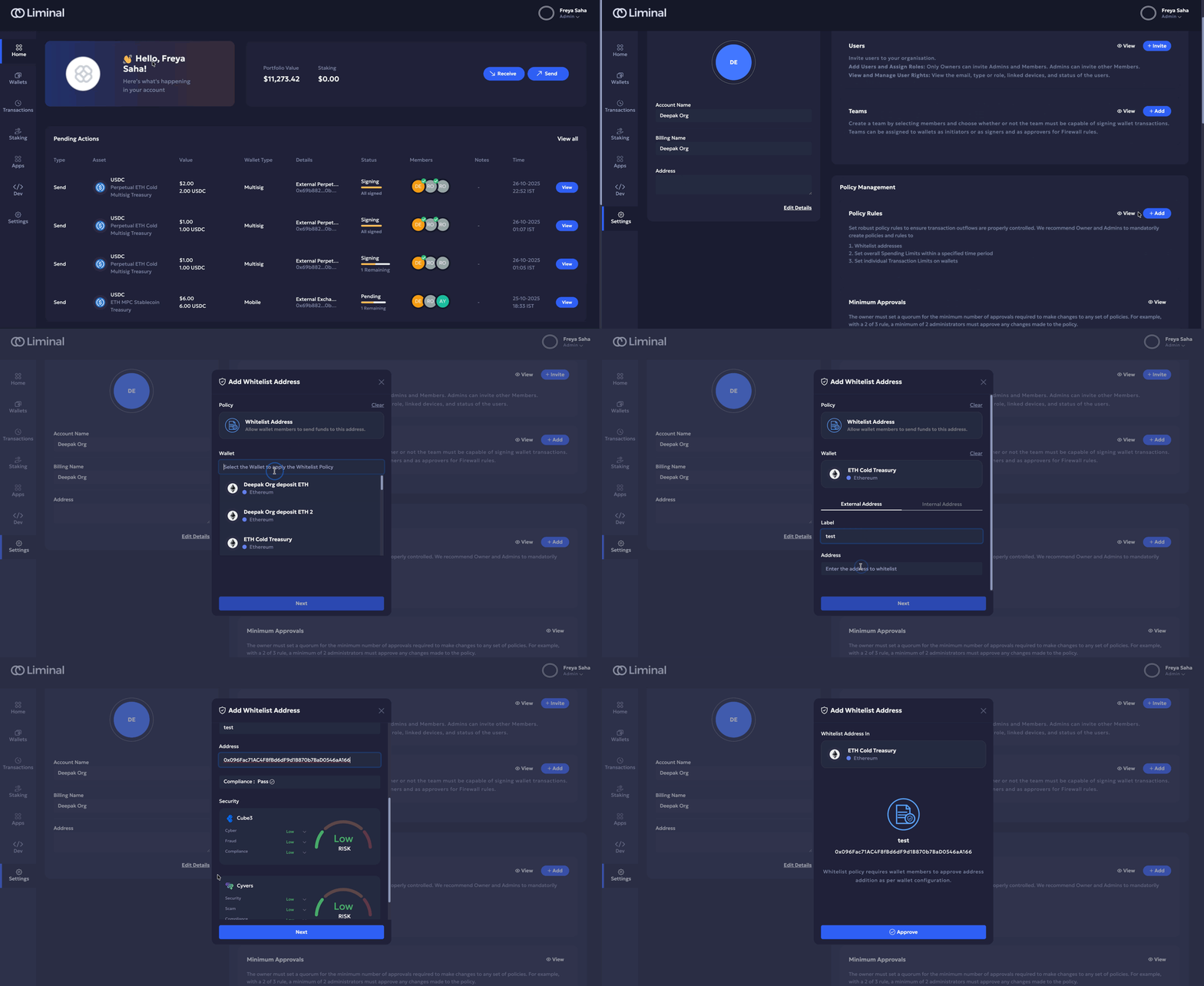
Address screening support for the Add Whitelist Address policy from Settings
Approving Policy Request
Address screening is supported when a signer quorum member needs to approve a whitelisted address policy request via the Liminal mobile app.
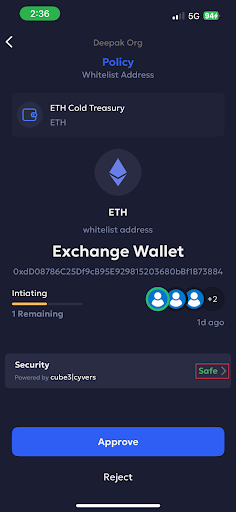
Refer to Steps 13 and 14 of the Whitelist an Address guide to review the risk score before approving the request.
MPC Wallet Transaction
Initiation
Address screening is supported for the following use cases:
- when initiating a transaction either on the Vaults web, or
- from the Vaults mobile app.
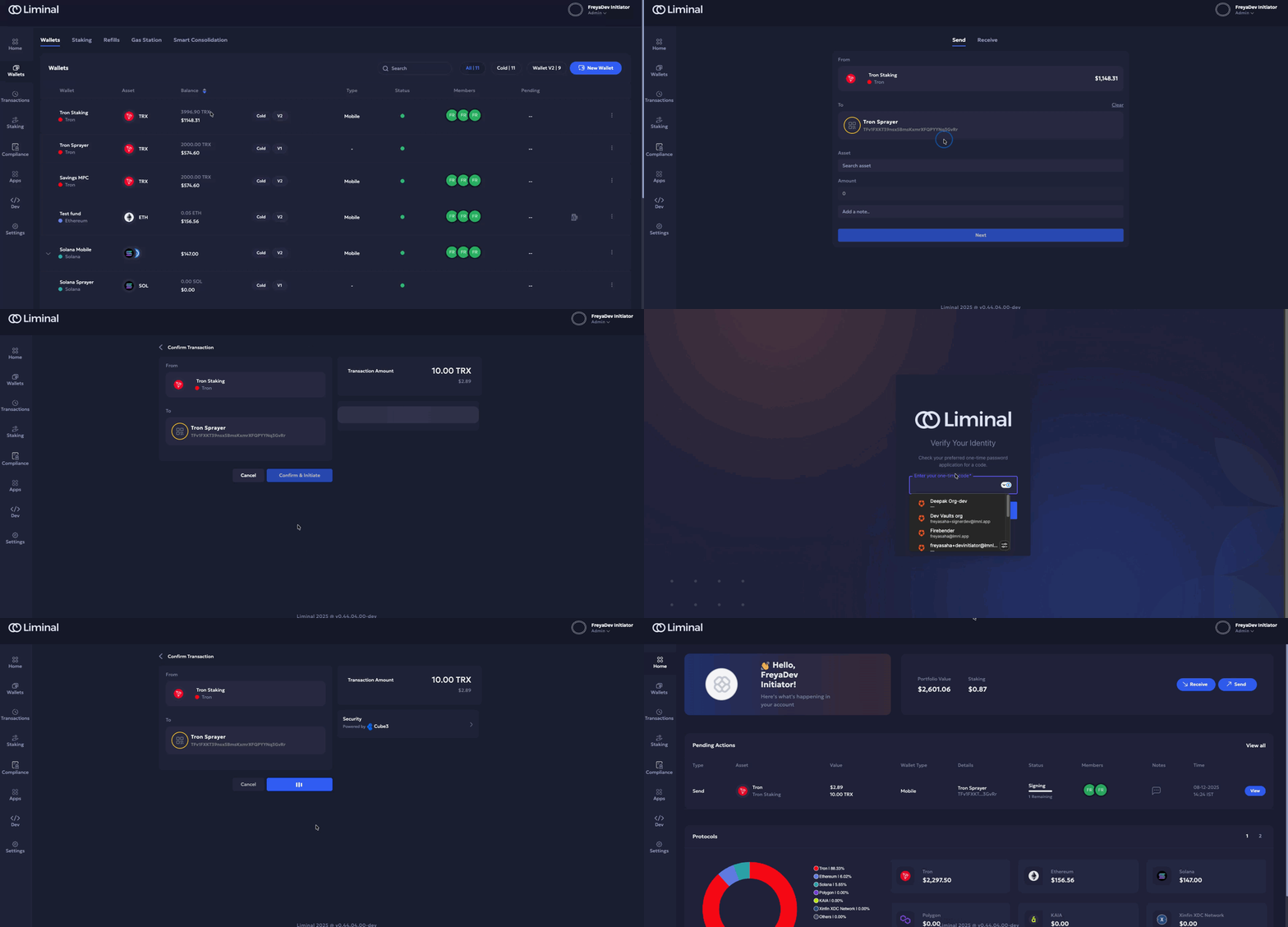
Refer to Initiating a transaction on Mobile to send transactions using the Liminal mobile app.
Refer to the Transfer funds from a warm MPC wallet guide to learn how to initiate and approve MPC transactions.
Signing
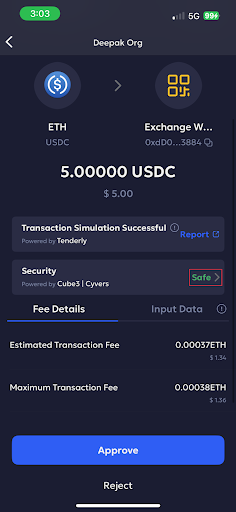
Address screening is supported when signing an MPC wallet transaction for approval. If you are part of the wallet signer quorum, refer to the Signer approval section of this guide to review the address risk score before approving an outgoing transaction.
Hot Withdrawal Wallet Transaction
When requesting the Create transaction requests endpoint via Liminal Express.
The API endpoint returns a 422 Unprocessable Entity error for addresses that fail the address screening validation. Refer to the error response schema to check the parameters.
Example error message:
{
  "success": false,
  "data": {
    "error": {
      "destinationAddress": "0x35febC10112302e0d69F35F42cCe85816f8745CA",
      "screeningResult": "block",
      "screeningId": 1299,
      "riskScore": 99,
      "message": "",
      "params": "recipientsData.recipients[0].address",
      "location": "body"
    }
  },
  "message": "This address is involved in activities that resemble malicious and fraudulent behaviour patterns.",
  "code": "RISK_SCREENING_FAILED"
}
Note
The the Create transaction requests API is available for hot v2 wallets only.
Multisig Wallet Transaction
Address screening check is available when you want to initiate a transaction using a cold Multisig wallet on the Vaults web.
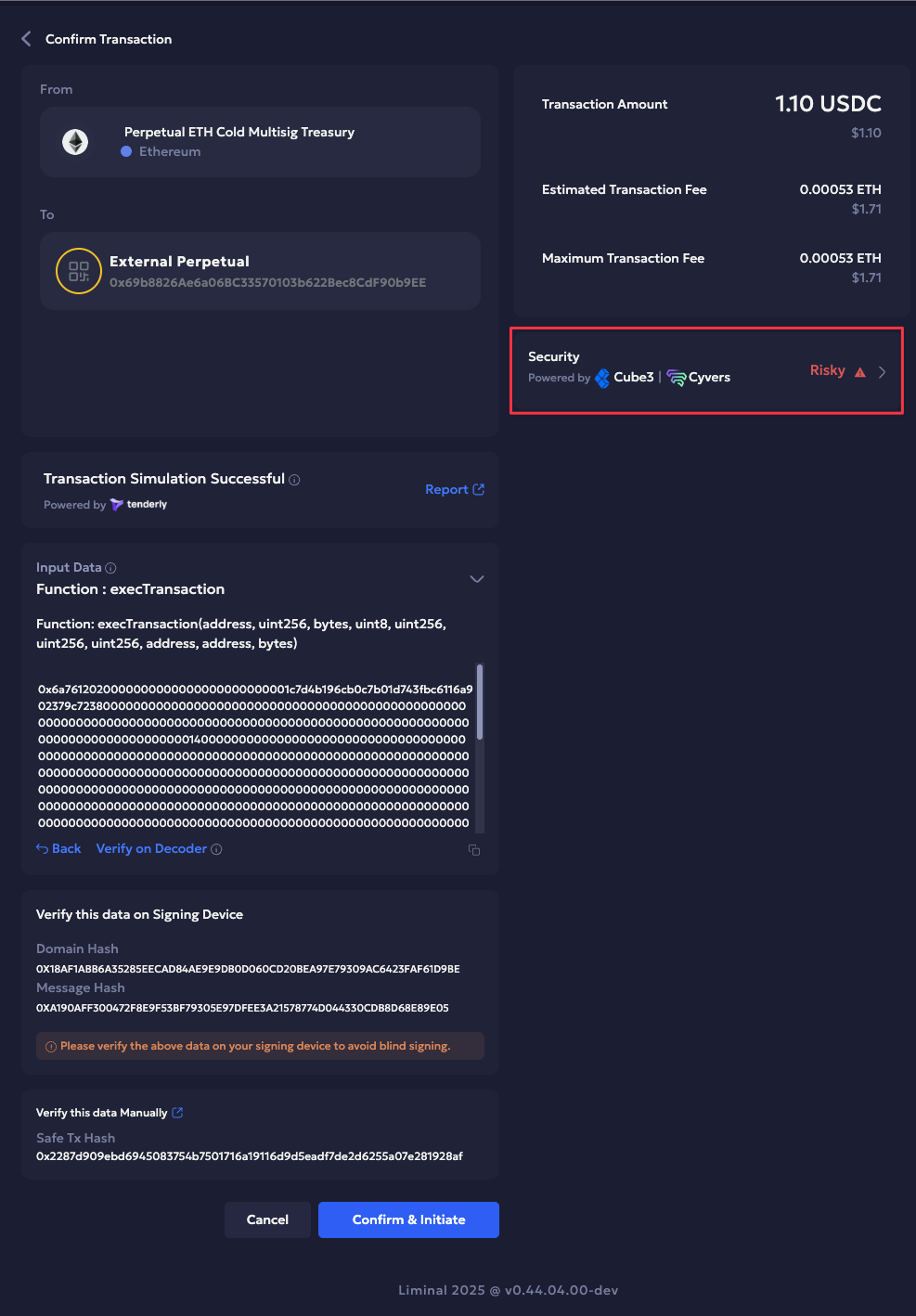
Refer to the Transfer funds from a multisig wallet guide to learn how to initiate and approve cold multisig transactions.
Updated 11 days ago