
Flagged Deposits
Manually review transfers of batch deposits from non-whitelisted contracts
Incoming batch transactions on EVM chains that are from non-whitelisted contract addresses are flagged by the Liminal global Firewall. These transactions are moved to Transactions > Flagged Deposits in Vaults web and need the organisation Owner/ Admin to review the transactions.
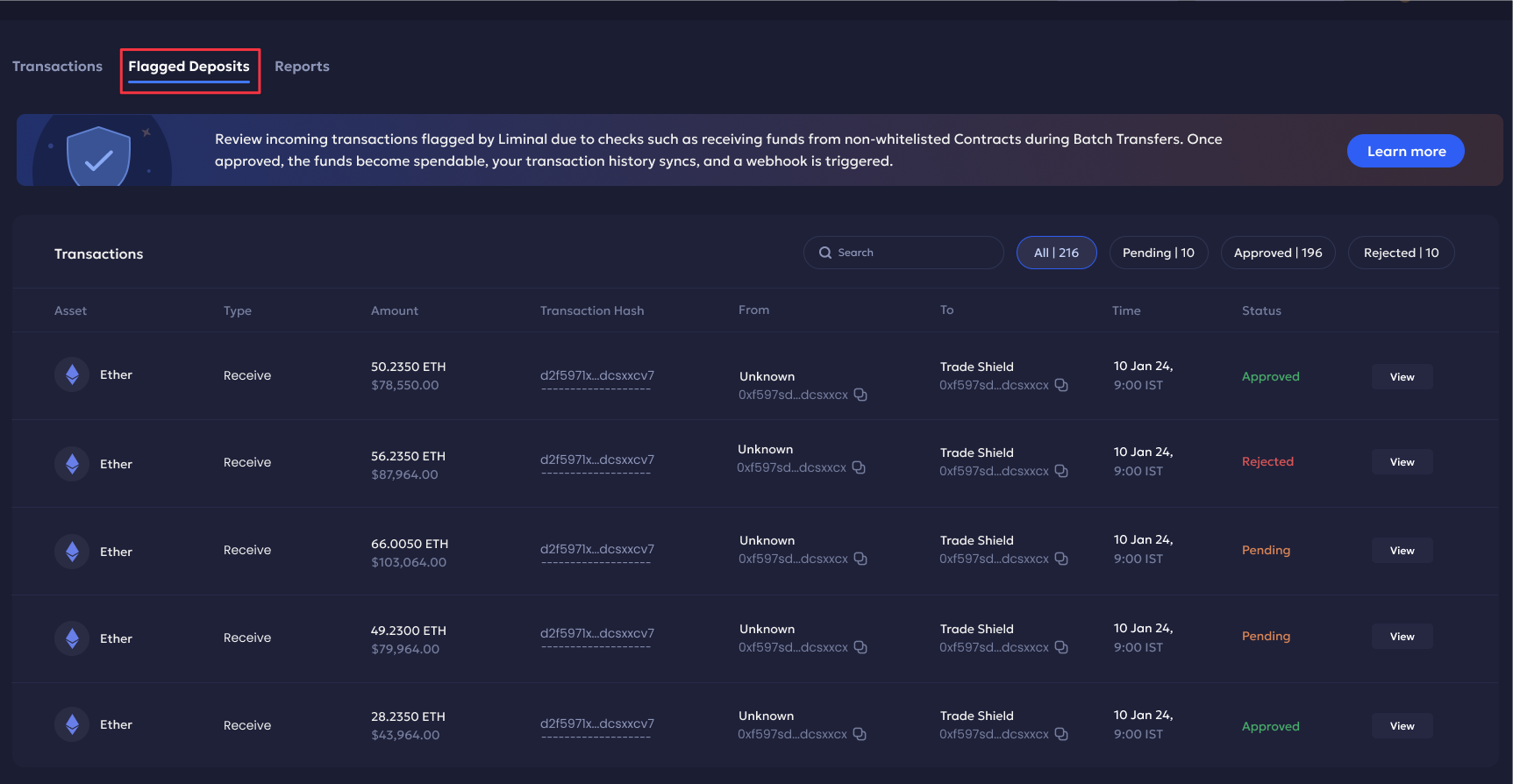
The flagged transaction deposits include the following data:
| Field | Description |
|---|---|
| Asset | The token used in the transaction. |
| Type | Transaction type is Receive only. |
| Amount | The total transaction amount received. |
| Transaction Hash | Unique ID of the blockchain transaction. |
| From | The sender name and wallet address. |
| To | The receiver name and wallet address. |
| Time | The transaction date and timestamp. |
| Status | The current translation status. It can be either Approved, Pending or Rejected. |
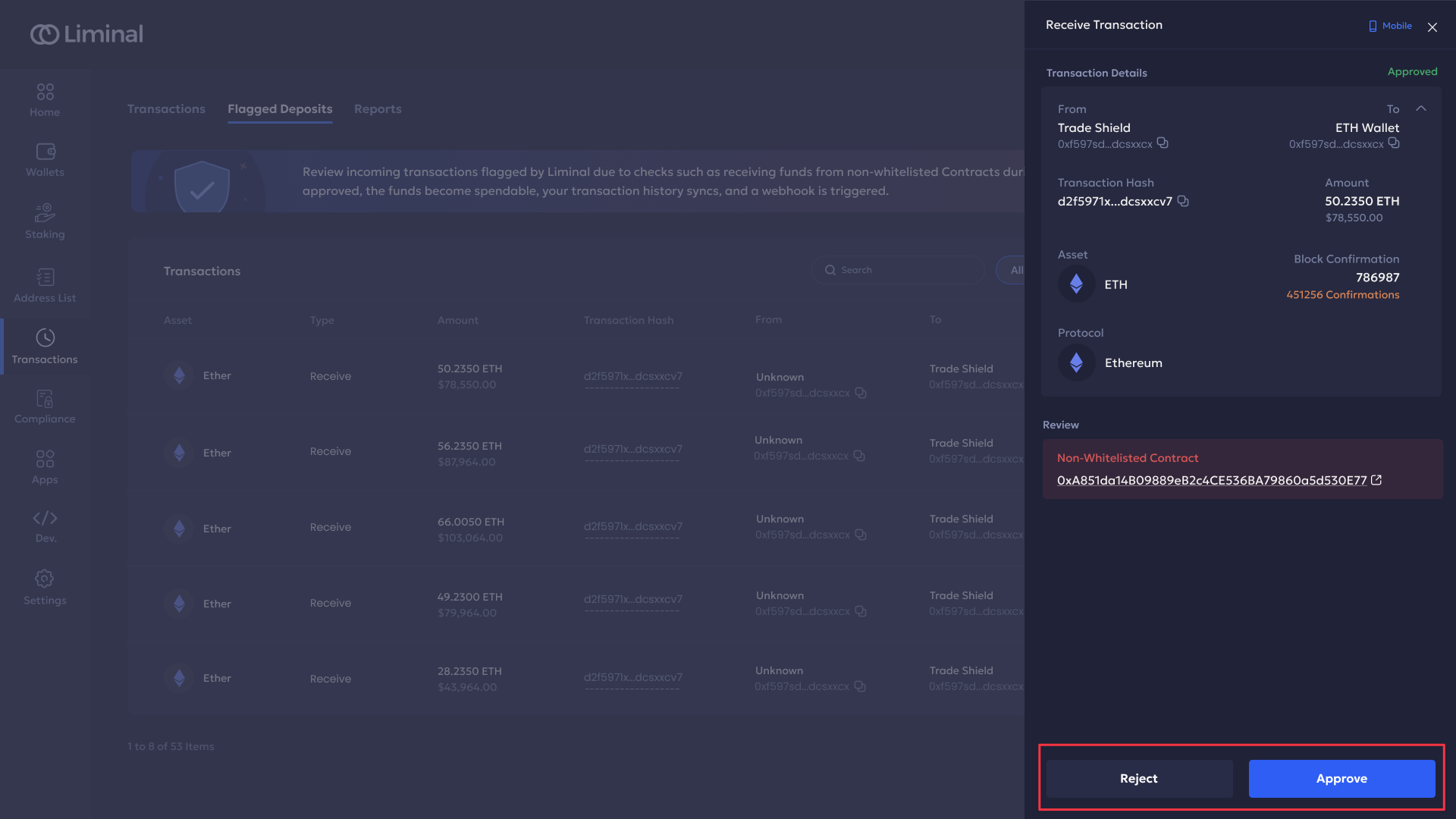
| Sidepanel view | The transaction side panel view to view transaction details like block confirmations. Click View to open the side panel. |
You can perform the following actions:
-
Review Transaction: Users can Approve or Reject a pending transaction by clicking View next to the respective transaction. You must verify the contract address before approving it. Once the transaction is approved it is moved to the respective deposit wallet’s history and a webhook notification is sent.
-
Search and Filter: You can search for a transaction using the search bar. You can filter the transaction view based on All (default), Pending, Approved, or Rejected transactions.
Updated 4 months ago